How Long Should a Gaming Tablet Last?
Updated: 04 Nov 2026
41
A gaming tablet asks a bigger investment than a casual device, so it owes more years in return, and the fair question is how many. Among the tablets worth buying the spread is wide, and the honest answer is that a well-chosen device stays enjoyable for four or five years, and the number is set by three things rather than one: how the hardware ages, how long the software keeps supporting it, and how the years treat the battery in between. Buyers can influence all three, which is why two identical tablets can age completely differently. Knowing where the years come from makes the purchase easier and the ownership cheaper.
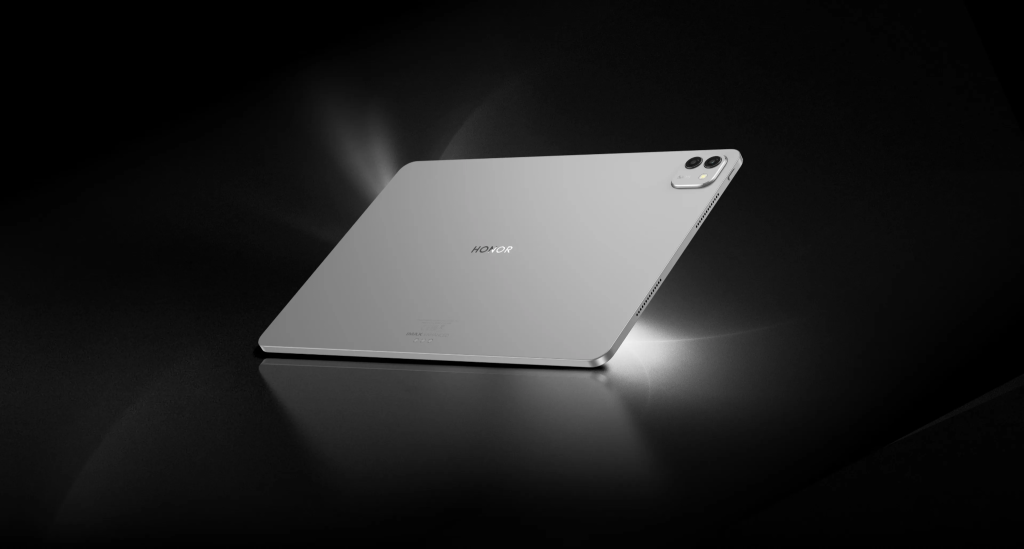
Hardware That Ages Well
Build Quality
The first years of a tablet’s life are a physical test, and construction is what separates the good gaming tablets from the rest. A metal unibody frame resists the small flexes and knocks that accumulate in family use, a well-fitted screen survives the cleaning a touchscreen inevitably receives, and buttons that feel solid on day one are the ones still working in year three. Build quality is also the part of aging you can see in the shop: pick the device up, press where your thumbs will press, and look for movement. Hardware that starts solid tends to stay solid, and hardware that creaks early rarely stops. A metal frame and a screen without gaps are the two details worth checking first.
Battery Degradation
The battery is the component on a schedule of its own, because it wears with every cycle no matter how well the rest of the device holds up. All batteries lose capacity gradually, and the practical effect on a gaming tablet is that the generous session of year one becomes a shorter one by year four. The wear is faster with heat and with full discharges, which is why the habits later in this article matter. What matters at purchase is starting big: a device whose battery is generous on day one has margin to lose, and it is still an all-evening device in year three. Capacity is the part of the specification that buys time twice, once at purchase and once in every year after.
Software Support
Update Windows
The software window is the least visible specification and one of the most decisive. Makers promise update periods in years, and those years determine how long the tablet stays secure, how long apps stay compatible, and how long the system feels current. A device with a five-year window outlives a two-year one by definition, because the software around it keeps moving either way. Check the stated policy before buying rather than assuming it, since the promises vary widely between makers at the same price, and the difference is worth more than most specification upgrades. A longer window also protects resale value, because the second-hand market reads update promises closely.
Access to New Games
For a gaming tablet specifically, the software window decides something more specific: whether new games still run. Releases raise their requirements every year, and a device with headroom keeps clearing the bar while a device at the floor falls behind it. This is where buying above the minimum pays off quietly: a chipset like the Snapdragon 8 Gen 3 with 16 GB of memory, as in the HONOR MagicPad3, is sized not just for this year’s releases but for several years of them, and the games you have not downloaded yet are the ones that decide the device’s real lifespan. Headroom is longevity wearing a specification, and it is the closest thing the market sells to a guarantee.
Care That Extends Life
Charging Habits
Charging habits are the part of longevity you control daily. Batteries age fastest when they sit at extremes, so the friendly routine keeps the device away from empty and away from overnight full-charge saturation where the software allows limits. Short, frequent top-ups are kinder than deep cycles, and avoiding gaming while charging keeps the battery cool at the moment it is most vulnerable. None of this needs an app or a schedule; it is a handful of small preferences that compound over years into a battery that still delivers an evening. The habit takes a week to form and pays out for the rest of the ownership.
Heat and Storage Conditions
Heat is the other quiet enemy, and it works whether the device is on or off. Sustained heat ages the battery and stresses the electronics, so a tablet that lives on a sunny windowsill ages faster than one in shade, and a device left in a hot car carries the damage home with it. For storage, a cool dry place and a partial charge are the friendly conditions if the tablet will sit unused for a season. The rules are unglamorous, which is exactly why following them sets your device apart in year four. Storage conditions are also the easiest part of care to automate: a drawer away from the window does most of the work.
Conclusion
A gaming tablet should be chosen for a span of years, and the span is set by build, software support and care in roughly equal parts. Start with hardware that has headroom, confirm the update window in writing, and then treat the battery and the temperature kindly for as long as you own it. None of the three asks for expertise; they ask for attention at purchase and small habits afterwards. Do those three and the question stops being how long the tablet lasts and becomes how long you want it, which is a better question to answer with money.
Please Write Your Comments